At one time I was able to upload several pictures at once, then it would take you to another page to fill in the details. I just tried to do multiples today, but for some reason cannot do it. Maybe it is a setting that I have set wrong? One at a time works, so I'm good.
____________________________________
____________________________________
You certainly can add multiple photos to a post and there are several ways of doing so.
The following window will pop up when you click the paper clip in the tool bar or scroll down to Manage Attachments:
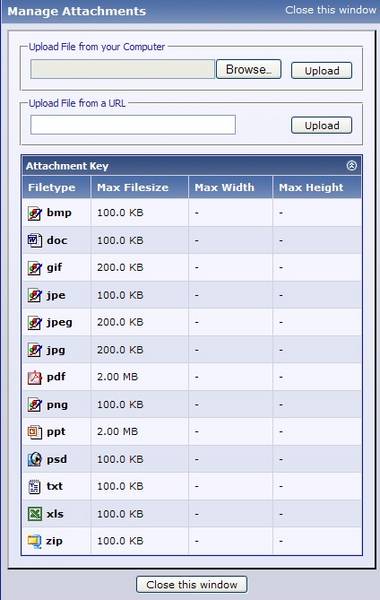
You click Browse and find your photo on your computer.
You then click Upload.
To add another attachment repeat Browse and Upload.
Finish your text, then do a preview to be sure it worked.
If it did, click Submit Reply.
(JP, you used this attachment method in your post in the Sandwich Fair thread.)
Please note:
We've been asked by other members to keep attachments to about 640 X 480 pixels.
One problem with attachments is they end up at the end of your post. I prefer to insert images from PhotoPost.